FATAL ERROR: Ineffective mark-compacts near heap limit Allocation failed – JavaScript heap out of memory

When executing Node.js code on the workstation, the process can stop with the PAUSED BEFORE OUT OF MEMORY EXCEPTION.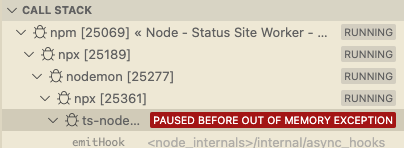
When we stop the execution, the following message appears in the terminal:
FATAL ERROR: Ineffective mark-compacts near heap limit Allocation failed – JavaScript heap out of memory
This can happen for two reasons:
- There is a memory leak in the application which fills up the memory and the Garbage Collector is not able to clear it. It can be caused by an infinite loop, when we eventually call the same function from itself, or repeatedly appending data to an array without ever clearing it. Please see Debugging Memory Leaks in Node.js Applications by Vlad Miller for an excellent article on the topic.
- Our application is too large to fit in the default JavaScript heap, the memory where the application code and data is stored in the memory.
Altough Node.js 12 and later versions use more efficient memory management, if our application is too big to fit in the default heap size, we may need to allocate larger heap memory size.
To set the JavaScript heap memory size, we need to specify the amount in an environment variable. The value is in MB, so use the following table for the most common values. The value does not have to be the product of 1024, these are just examples.
| Requested memory | Value |
5 GB | 5120 |
| 6 GB | 6144 |
| 7 GB | 7168 |
| 8 GB | 8192 |
There are multiple ways to set this depending on the operating system we use:
macOS and Linux
To get the current JavaScript heap size execute the command in the terminal
node -e 'console.log(v8.getHeapStatistics().heap_size_limit/(1024*1024))'On Macintosh and Linux operating systems the most convenient way to specify the heap size is in the ~/.bashrc file, which is executed every time a Bash terminal window is opened. Add the following line to the file to set the value to 8 GB and restart the terminal for the change to take effect:
export NODE_OPTIONS="--max-old-space-size=8192"Windows
On Windows set the the NODE_OPTIONS value to --max-old-space-size=8192 (or to the preferred size).
To set system level environment variable values
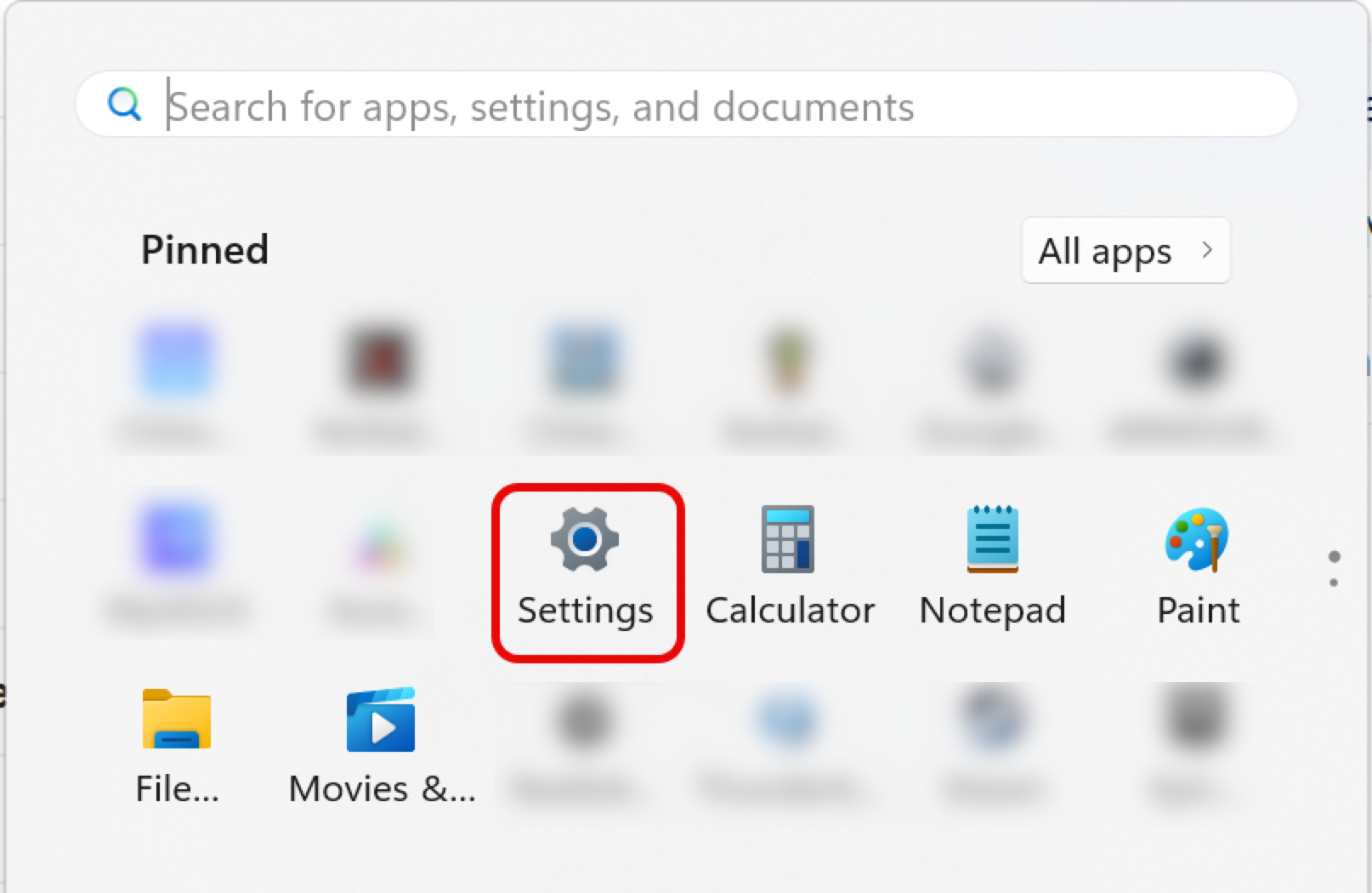
- Open the Settings panel
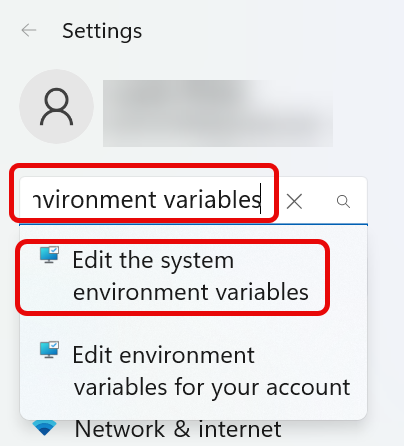
- Type “environment variables” into the search field
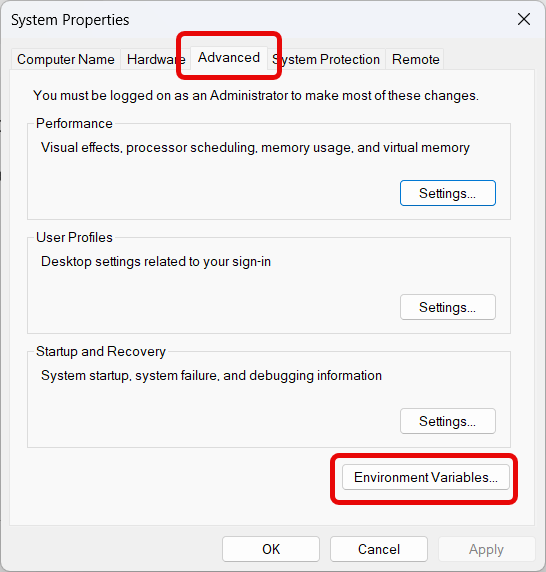
- On the Advanced tab click the Environment Variables button
- On the Environment Variables panel under System variable click the New button
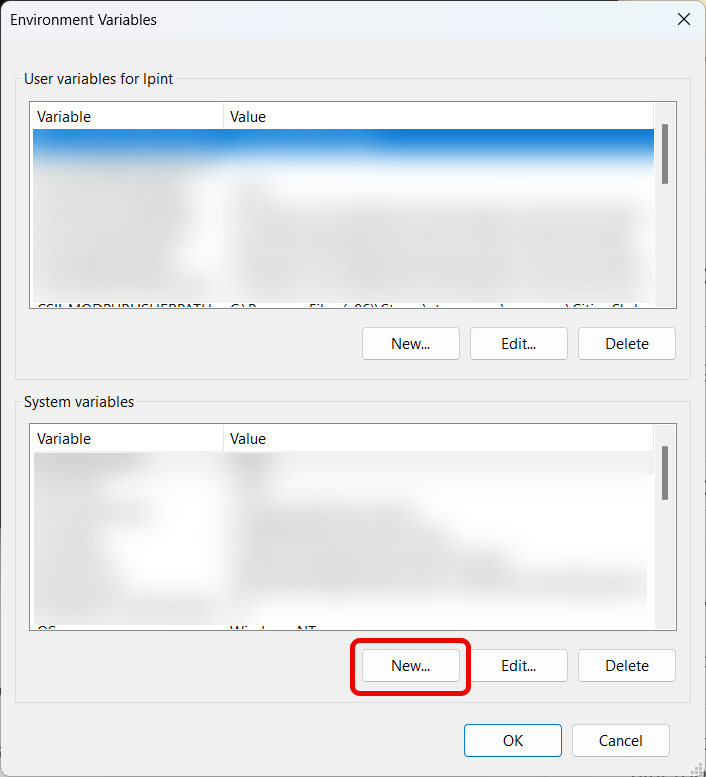
- Set the variable name to NODE_OPTIONS, and the value to
--max-old-space-size=8192 (it starts with two dashes)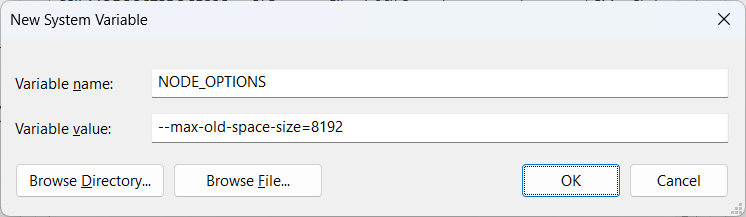
- Click the OK button to save the value and restart all terminals for the change to take effect.
