React web applications run code at two places.
Server side
- First the server executes the server side code to access databases, call APIs and other backend resources usually to retrieve data. This is coded in the
loader()andaction()functions in the React Router (formerly Remix) framework. - Depending on the specific React framework it may performs Server Side Rendering (SSR) to generate the HTML that the browser can quickly display to the user without putting much load on the client device.
Client side
- The browser executes the client side code and displays the web page. This is coded in the remaining exported function, like
export function FileUploader()
As we can see, our application runs at two separate locations, so we need to debug them, at those places too.
Debugging the server side code
To debug the server side code, we can start the application in the Visual Studio Code Debugger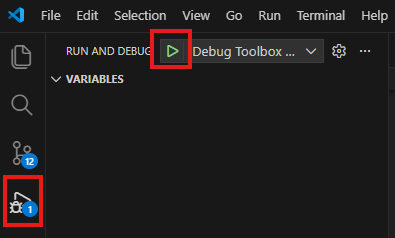
and set breakpoints in the code editor margin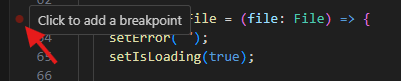
If we picked the correct function, and the code really runs on the server side, the execution will stop when it reaches that point. If the breakpoint is ignored, most likely that function is executed in the browser, so we need to debug it there.
Debugging the client side code
To debug the code that runs in the browser, we use the same Debugger in Visual Studio Code,
but set the breakpoint in the Developer Tools of the Chrome browser. When the application started in the Visual Studio Code debugger
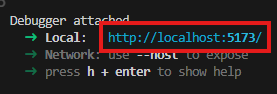
- Click the link to open the local URL with the default browser. IN this example we use Google Chrome to run the site and debug the client side code.
- Press F12 to open the Developer Tools
- On the Sources tab select the program file to debug and click the margin to set the breakpoint
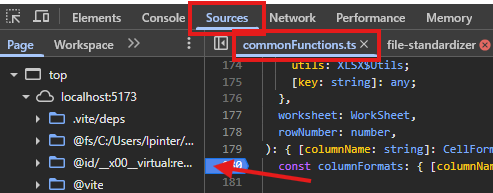
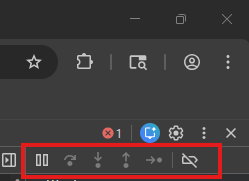
- When the code execution reaches that point, the application will stop, so you can investigate variable values, step through instructions with F10. See the debug panel in the upper right corner for other functions.