Visual Studio Community Edition is a free, popular IDE to develop C# business applications. AI assistance can enhance the development process and do the boilerplate creation.
As of writing, the most popular free extension that supports multiple AI models is Comment2GPT by Merry Yellow.
Installation
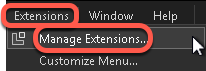
- In Visual Studio Community Edition in the Extensions menu select Manage Extensions
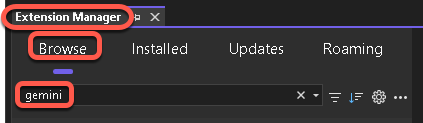
- On the Extension Manager’s Browse tab enter gemini into the search field
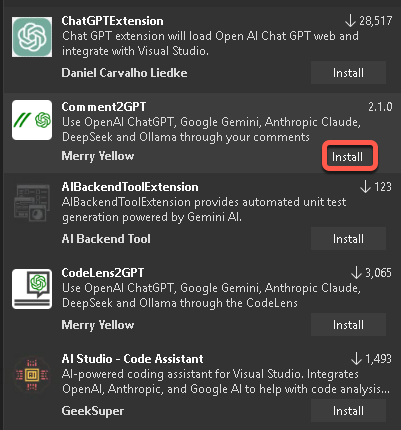
- On the Comment2GPT panel click the Install button
For more information visit the Comment2GPT Visual Studio Marketplace page at Comment2GPT
Configuration
This extension supports multiple AI models, so we can select the best for our purpose, or the one that is allowed on by our company.
Google Gemini
Create the Gemini API key
To use Gemini in Commenct2GPT, we need to create a free Google Gemini API key.
- In your web browser navigate to Get a Gemini API key
- Click the Get a Gemini APi key in Google AI Studio

- In the upper right cornet click the Create API key button

- Follow the instructions and save the API key at a secure location
Select the model you want to use
For the list of Gemini model versions and IDs visit Gemini models. We will need the ID of the model to configure Comment2GPT.
For our example we will use the Gemini 2.5 Flash Preview 05-20 model with the ID: gemini-2.5-flash-preview-05-20 model as it provides free, balanced performance. Currently, the free tier allows 10 requests per minute (RPM), 250,000 tokens per minute (TPM) and 500 requests per day (RPD). This should be enough for software development.
Before you start to configure Comment2GPT, get the ID of the latest model you want to use.
| Page | URL |
| List of models to get the the model ID | Gemini models |
| Pricing | Gemini Developer API Pricing |
| Rate limits | Rate limits |
| Billing info | Billing |
Configure Comment2GPT
- In Visual Studio Community Edition in the Tools menu select Options
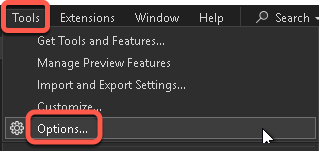
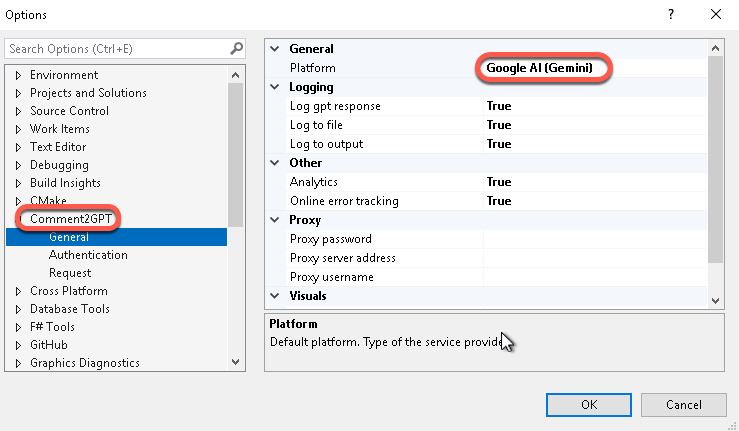
- Collapse the Environment element, and in the Comment2GPT section select the General tab. Set the Platform to Google AI (Gemini)
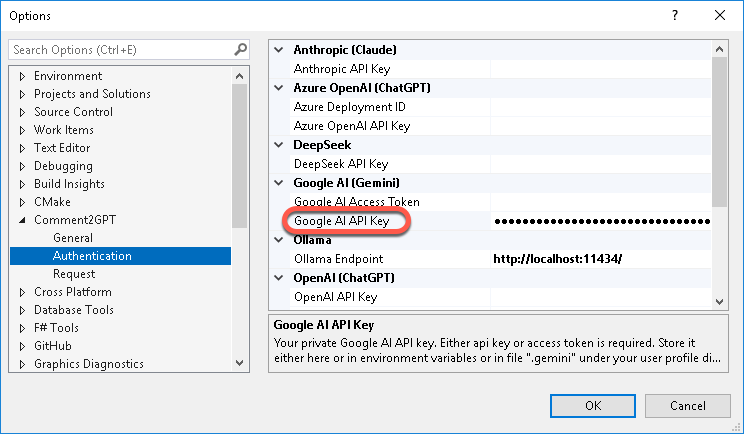
- On the Authentication tab paste the API key into the Google AI API Key field
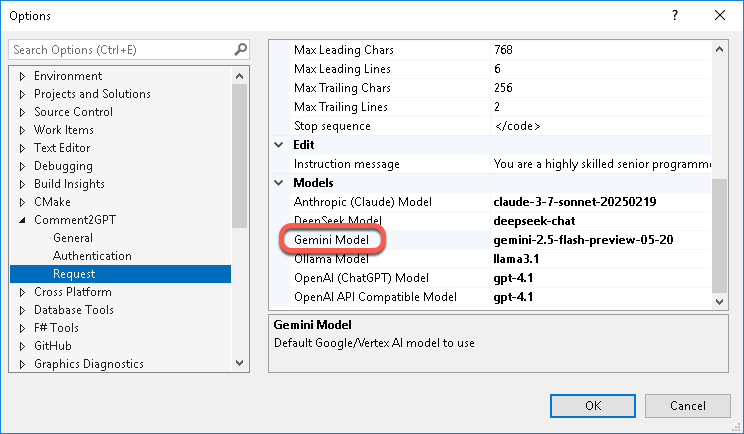
- On the Request tab enter the model ID into the set the Gemini Model field.
Using Comment2GPT
To ask Comment2GPT to generate code for you
- Create a comment starting with the letters // gpt and type your request. For example:
// gpt write a function to retrieve aws canary results from cloudwatchHow it works
On the Comment2GPT Request tab the Instruction message fields contain long explanation for the model to process the Add, Chant, Complete and Edit requests. Copy the contents to a text editor to view the entire text. Very interesting read.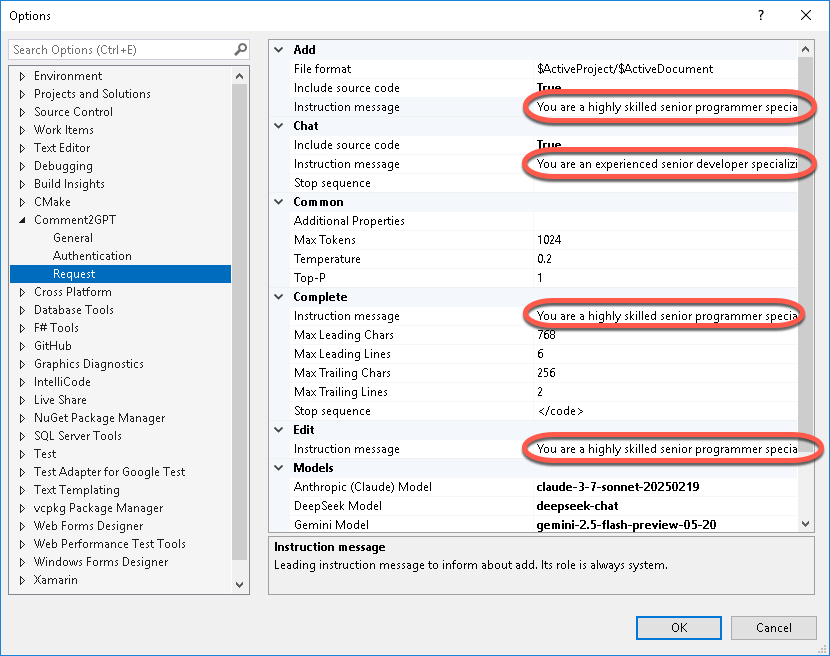
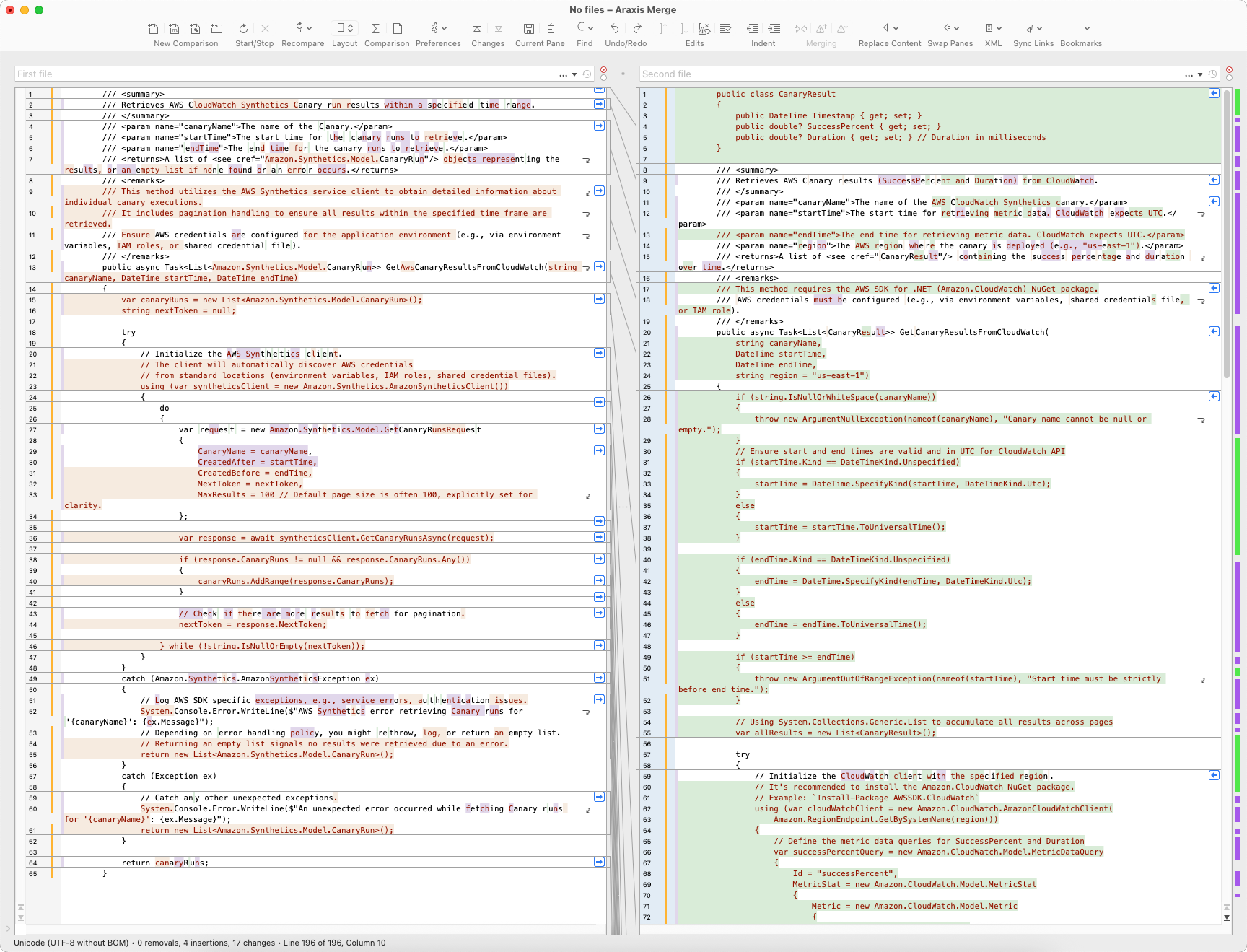
It is interesting, two identical requests generated entirely different results, one with 65 lines, the second with 196 lines of code.