
PNPM
PNPM is an advanced Node.js package manager install it instead of NPM and NVM. See Install pnpm
NPM
NPM is a package manager for the JavaScript programming language. Install it to be able to install other applications too using Node.js.
On macOS
- In the terminal execute
brew install node
On Windows
- Download the 64 bit version of the Windows Installer (.msi) from https://nodejs.org/en/download/
- Start the installation
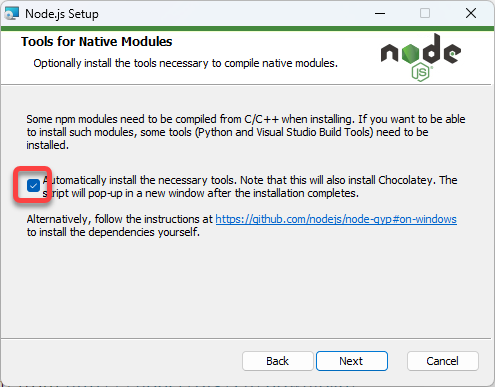
- On the Tools and Native Modules select Automatically install the necessary tools
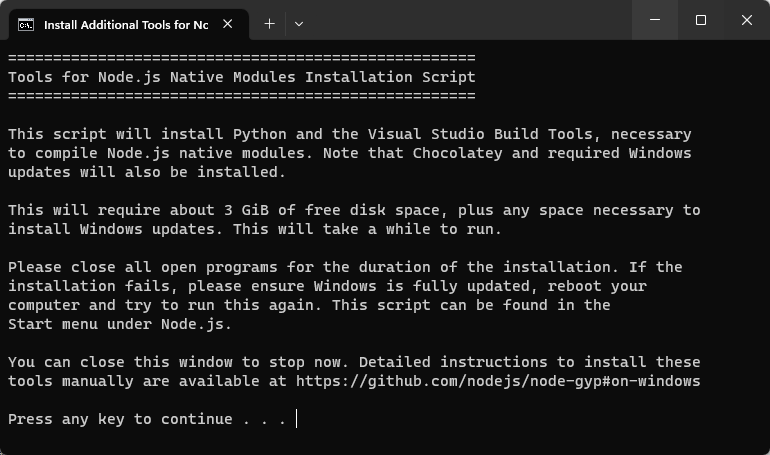
- Press the Enter key to build the Node.js native modules
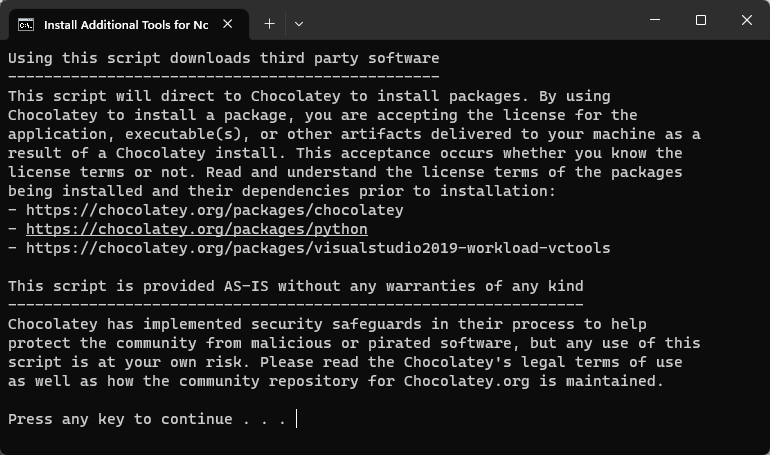
- Press enter again to accept the license
- Allow PowerShell to execute the scripts
- When you see the message
Packages requiring reboot: …
press enter to close the window and reboot the computer
In case of errors
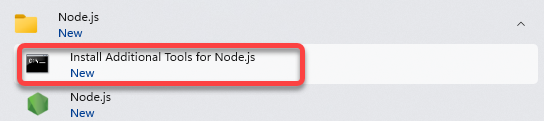
- Run the Install Additional Tools for Node.js from the Start Menu to complete the failed installation
TypeScript and TSC
TSC is the TypeScript compiler. If you work with TypeScript, install it. In the terminal execute
pnpm install -g typescript