Move a sketch to another plane in Autodesk Inventor

To move a sketch to another plane in Autodesk Inventor
- If necessary create a new plane
- Drag the new plane to the desired location in the browser
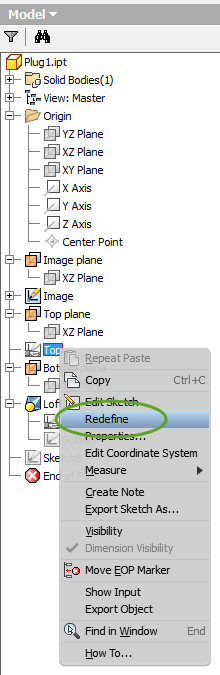
- Right-click the sketch and select Redefine
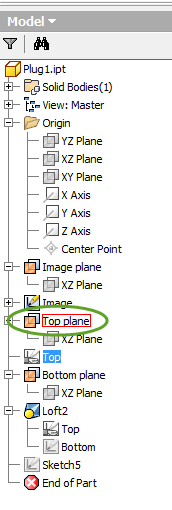
- Click the new plane for the sketch

Many thanks!