In the US it is not required to make the turn signals visible from the side of the vehicle. Many cars sold in the US have their front turn signals positioned between the headlights, so those are usually not visible from the side. If another car is next to yours, the other driver cannot see your rear turn signals, and because there are no front turn signals on the corner of your vehicle, they cannot see the font signals either. You can mount additional turn signals on the side of your car, but most of the time you need to drill holes into the body of the car, that can open the door for early corrosion of your vehicle.
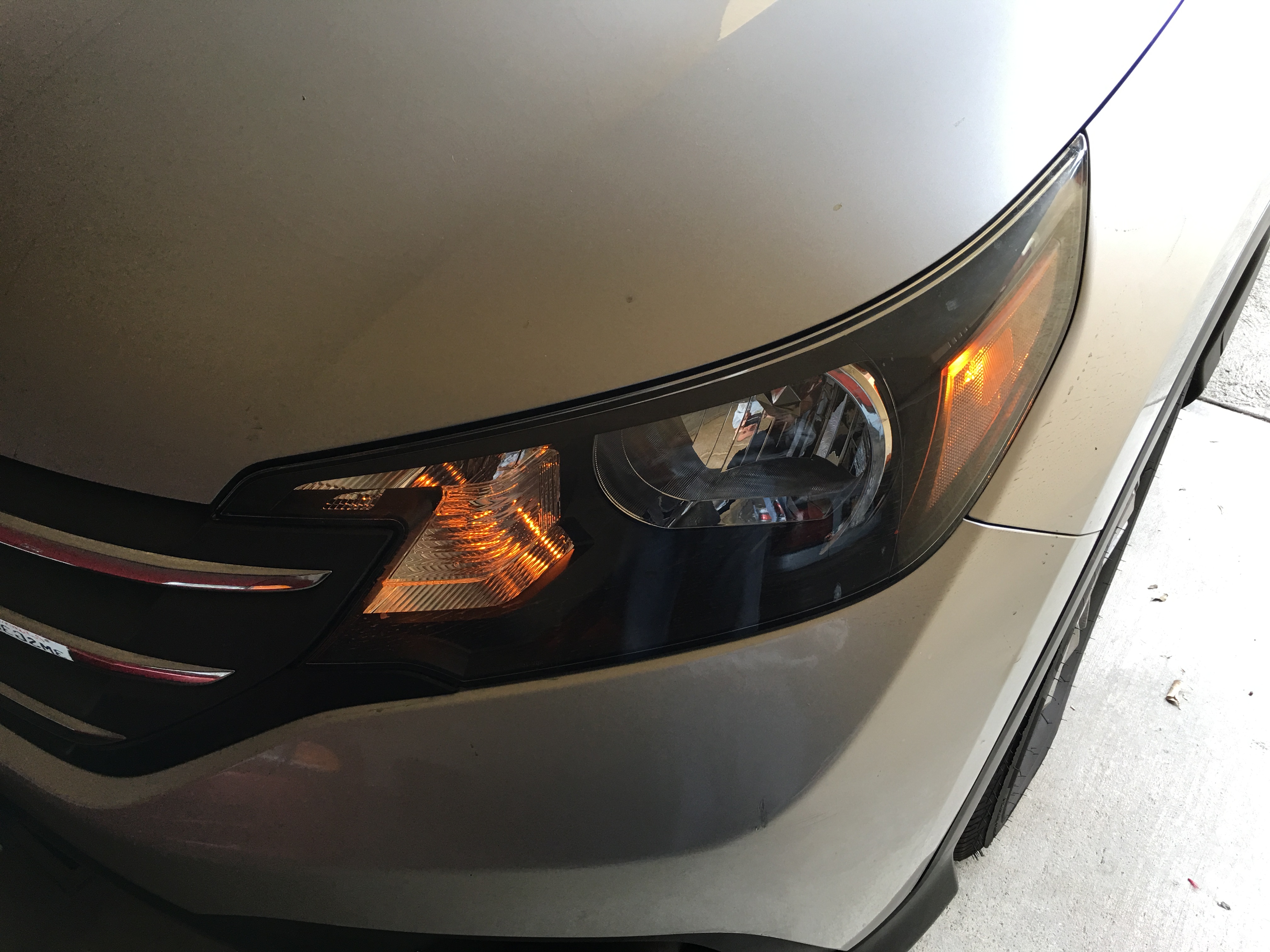
If your car uses conventional light bulbs for the turn signals and the side markers, it is easy to make the side markers flash too.
The idea came from Daniel Stern at http://www.danielsternlighting.com/tech/markerflash/markerflash.html Read the “Crossfeed method” section for the explanation how it works.
Flashing side marker with lights off
Flashing side marker with lights on
The Honda CR-V has plenty of room under the hood to make this modification easy.
- Find the side marker and turn signal lights
- Disconnect the turn signal connector from the back of the turn signal bulb
- Remove the black electrical tape at the junction where the turn signal wires go down to the bulb
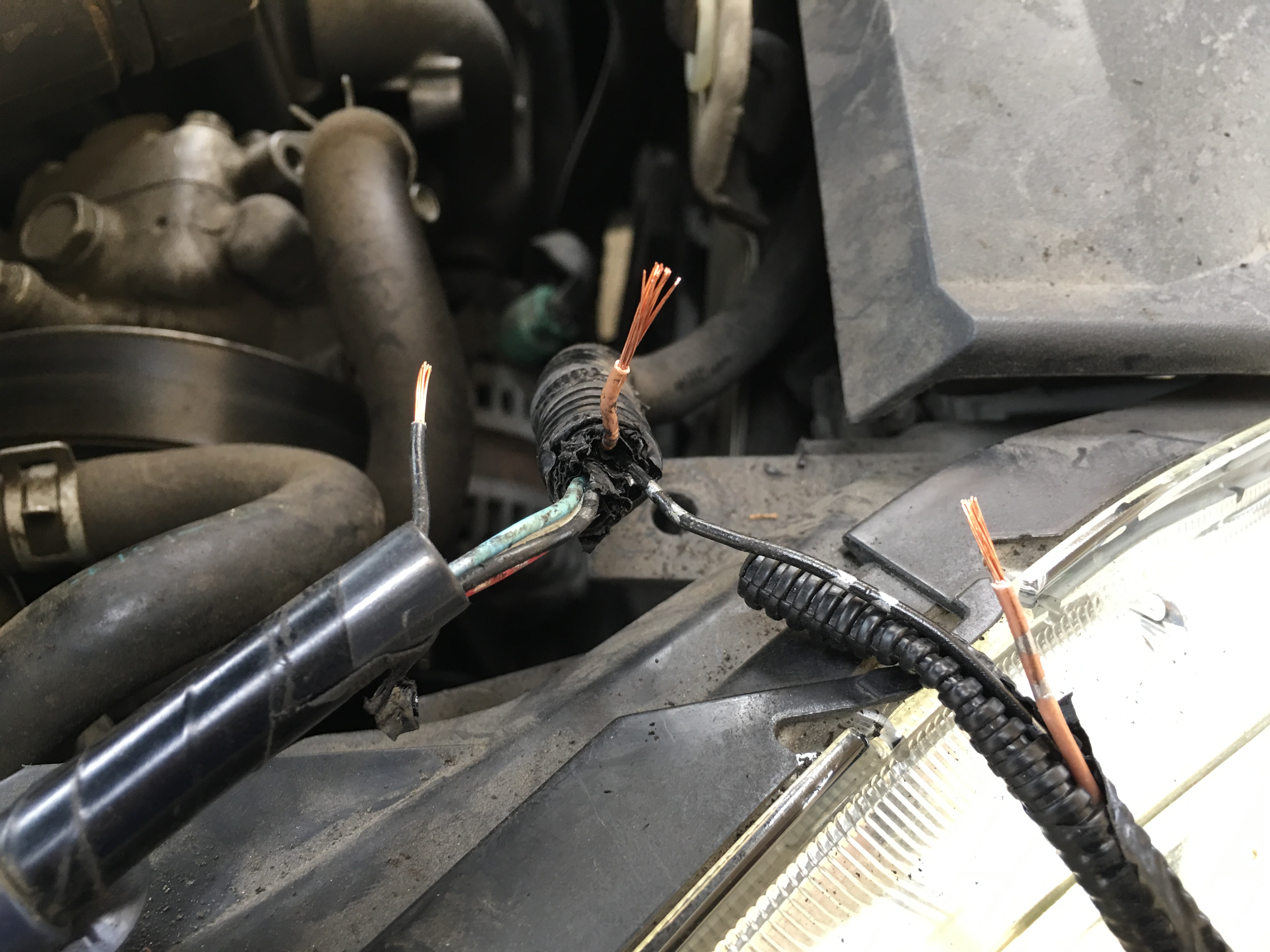
- Cut the black ground wire with one (1) silver dot leading to the side marker closer to the battery end
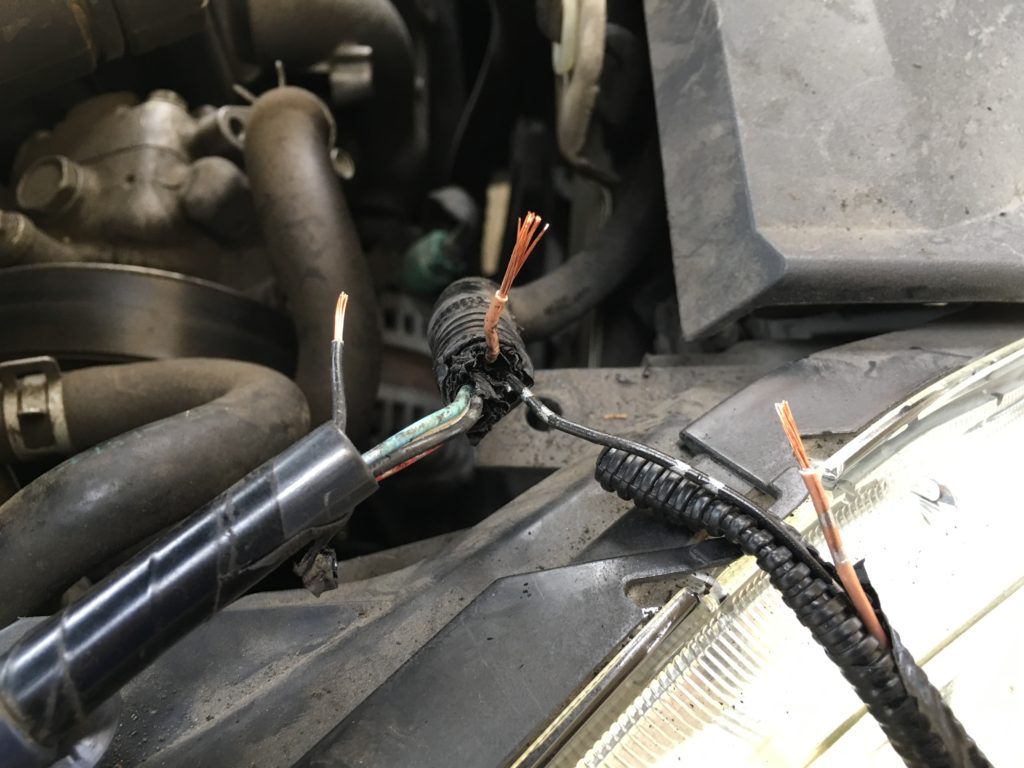
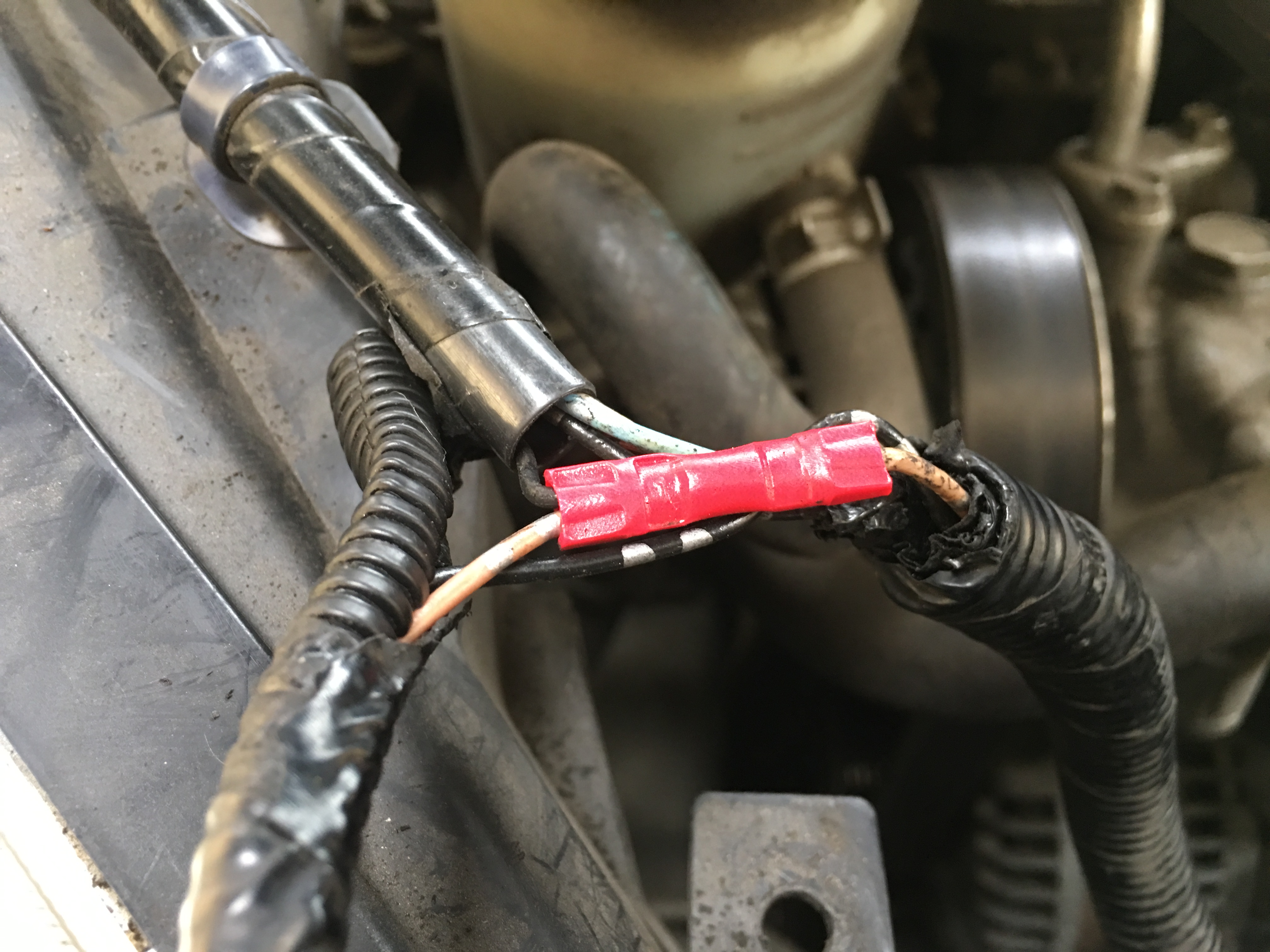
- Connect the side marker end of the black grounding wire with one (1) silver dot to the wire that goes down to the turn signal. Daniel Stern recommends the Posi-Tap connector to make this connection. The advantage is that you don’t have to cut the turn signal wire, just tap into it. (https://www.allpar.com/reviews/other/posi-tap.html)
- I did not have any tapping hardware, so I cut the turn signal wires and used crimp connectors to connect the ground of the side marker bulb to the hot wire of the turn signal.
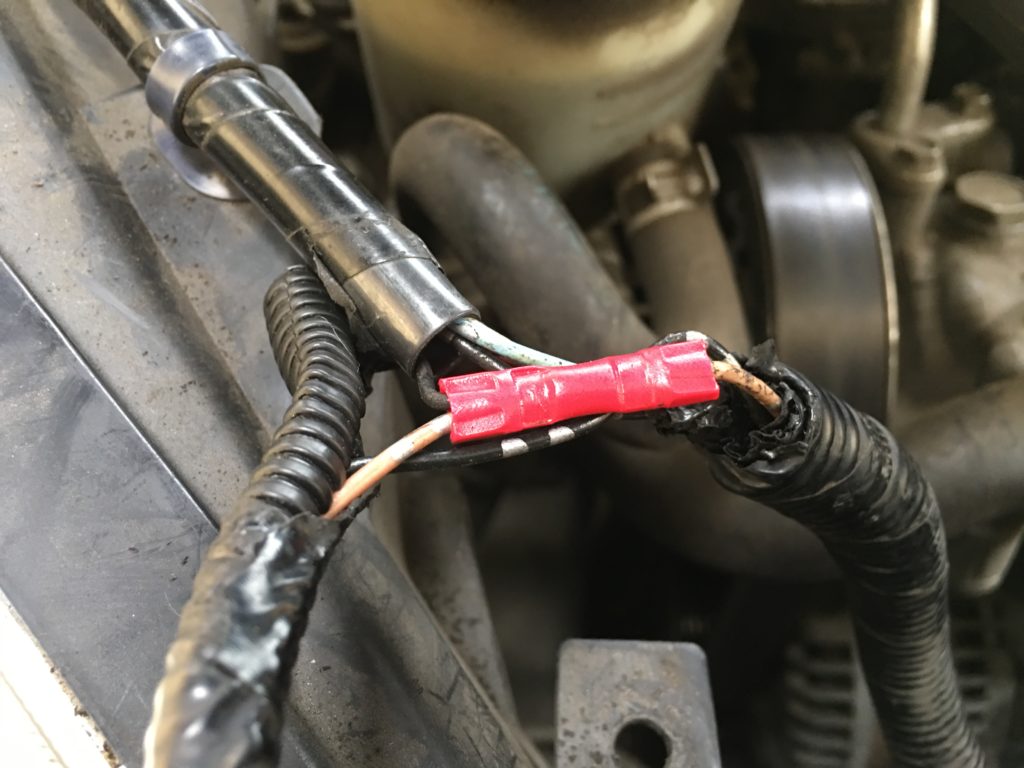
- Temporarily reconnect the turn signal wire to the bulb to test the connection. When the lights are off, the side marker should flash in sync with the turn signal. When the lights are on, the side marker should light up, and when the turn signals operate it should flash too, but in opposite phase. (See videos above)
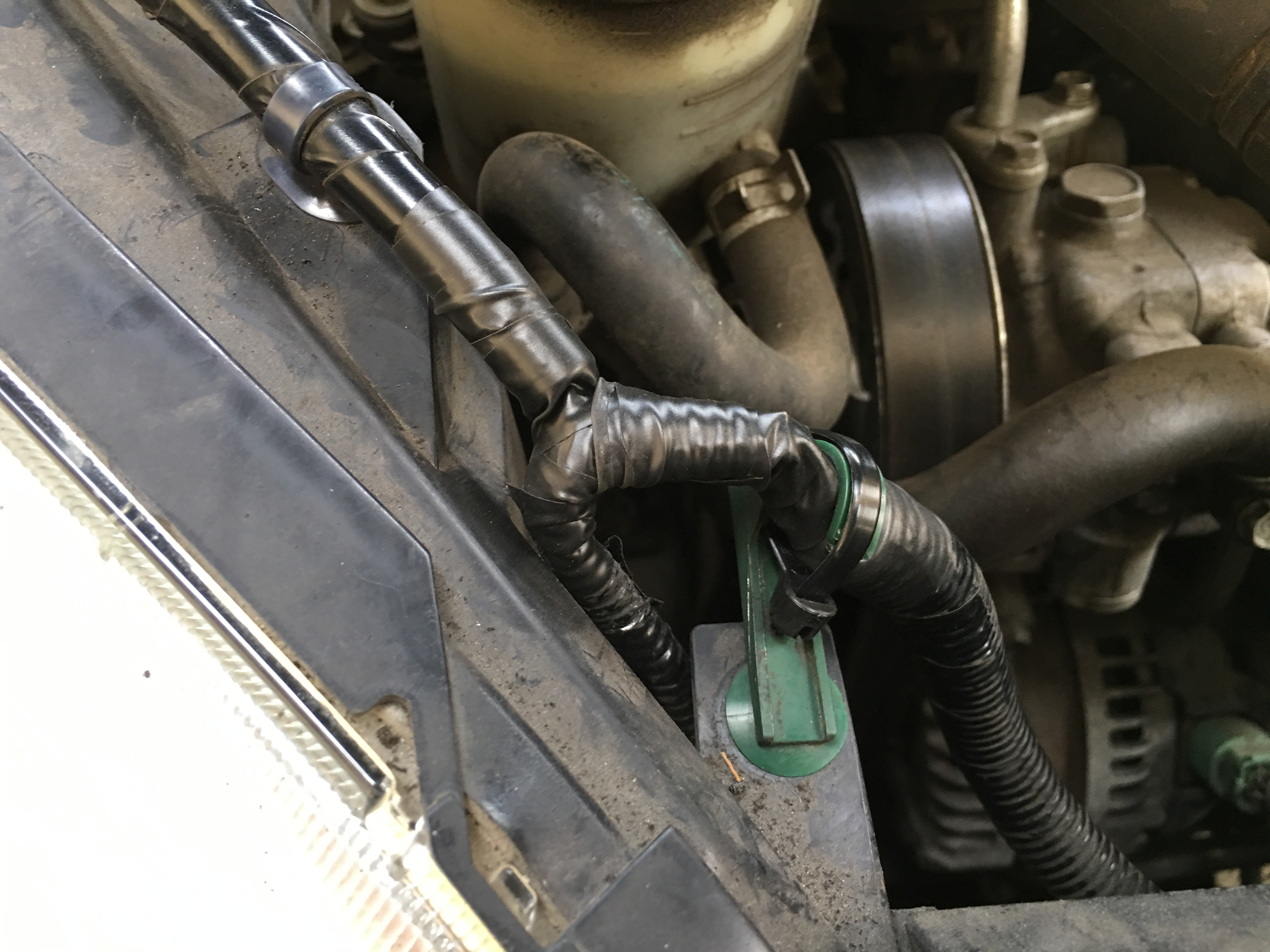
- Disconnect the turn signal wire again to make more room to work, and use a good quality black electrical tape to seal the junctions
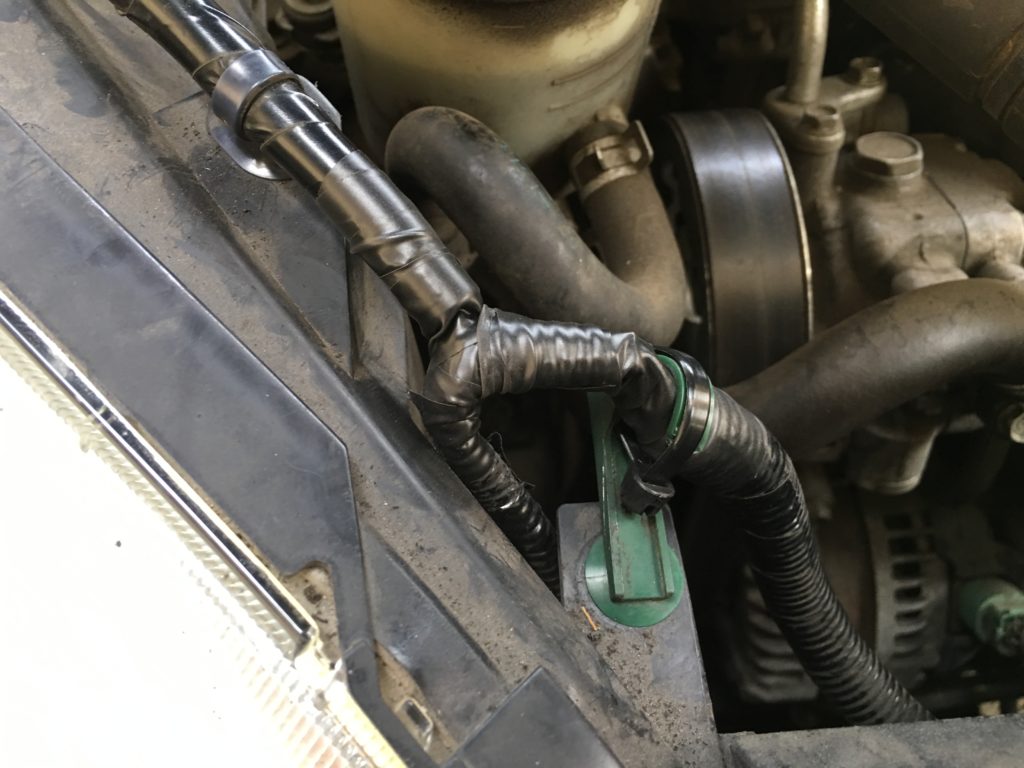
- Reconnect the turn signal wire.