
Install Atlassian SourceTree
Install Atlassian SourceTree, the free Bitbucket UI from https://www.sourcetreeapp.com/
Configure Visual Studio Code Git extension
The Git extension is a part of Visual Studio Code. If there is no Git executable installed on the system, set the portable Git executable installed by SourceTree.
Open the C:\Users\YOUR_USER_NAME\AppData\Roaming\Code\User\settings.json and set
"git.path": "%USERPROFILE%\AppData\Local\Atlassian\SourceTree\git_local\bin\git.exe"Add Git to the Path
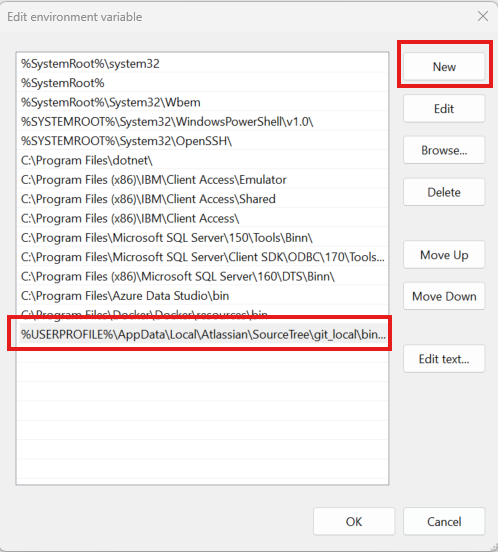
Add the directory path of the git.exe file to the System path environment variable:%USERPROFILE%\AppData\Local\Atlassian\SourceTree\git_local\bin
Restart any open PowerShell or Terminal for the change to take effect.
