Skip to content
Pinter Computing

Knowledge Base for IT Professionals, Teachers, and Astronauts

Pinter Computing

Knowledge Base for IT Professionals, Teachers, and Astronauts

  • Home
  • Programming
  • DevOps
  • Project Management
  • Software and Hardware
  • Miscellaneous
  • Egyebek
  • About
  • Experience
  • Education
  • Contact
  • Home
  • Programming
  • DevOps
  • Project Management
  • Software and Hardware
  • Miscellaneous
  • Egyebek
  • About
  • Experience
  • Education
  • Contact
Close

Search

Home/Knowledge Base/Apollo missons in Kerbal Space Program
Knowledge Base

Apollo missons in Kerbal Space Program

By Laszlo Pinter
January 16, 2023 2 Min Read
0

In Kerbal Space Program you can recreate the Apollo missions using the stock parts.

Apollo 11

An awesome Apollo 11 tutorial is located at Apollo 11 tutorial. Follow the instructions, but I have made some changes for easier operation.

Notes

Construction

  • I have added the Heat Shield (2.5m) to the bottom of the top command module just in case the command module does not have heat shield.
  • Added the Kelus-LV Bay Mobility Enhancer (retractable ladder) under the hatch of the lander for easier return after Munwalk.
  • Added solar panels to the lander and the service module.
  • Disabled the yaw, pitch, and roll functions of the RCS thrusters on the command module and all thruster blocks to Save on monopropellant
  • Take EV Fuel Cylinders from Cargo with you in the command pod, the lander, and on the Kerbals instead of parachutes to extend the length of EV operations.

Flight

Towards to Mun

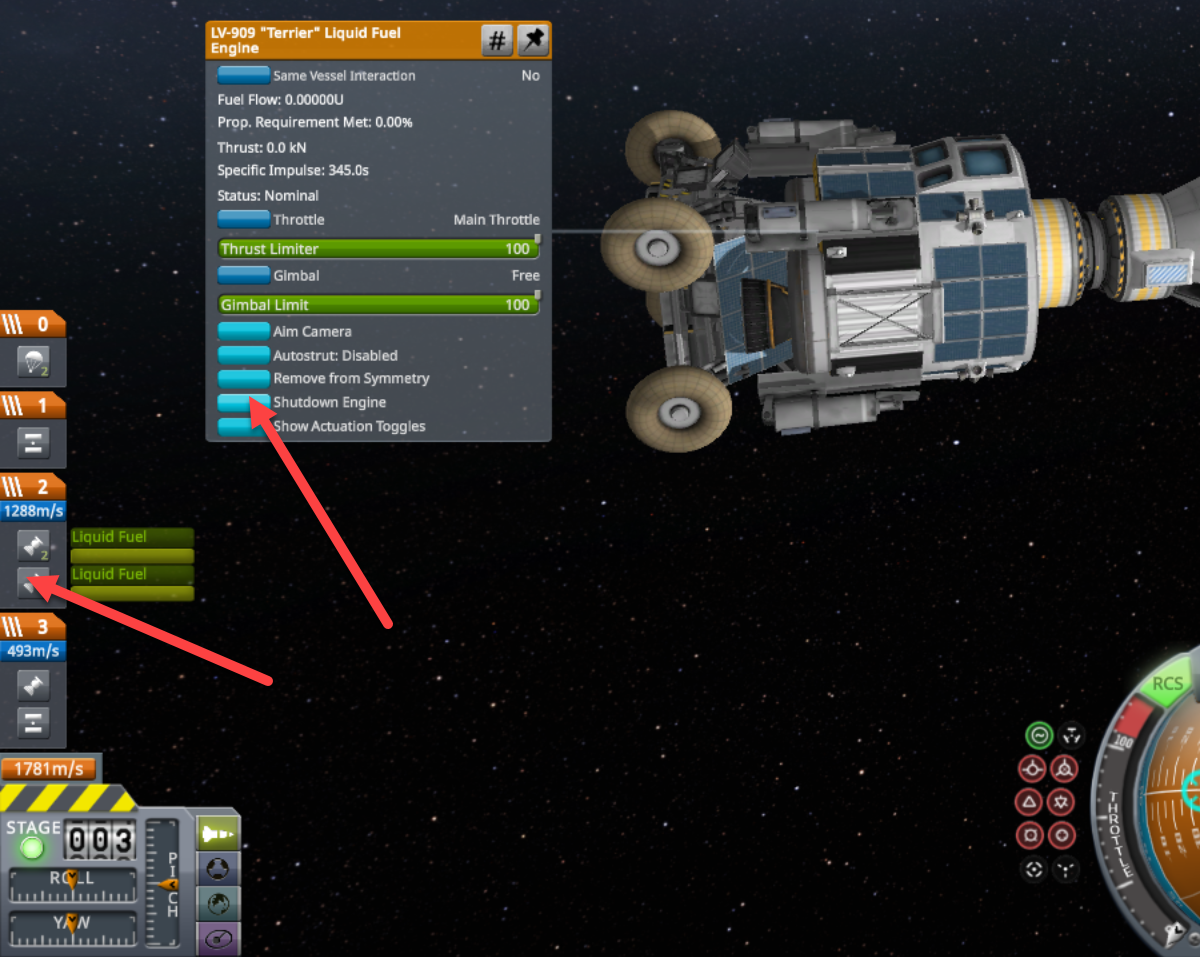
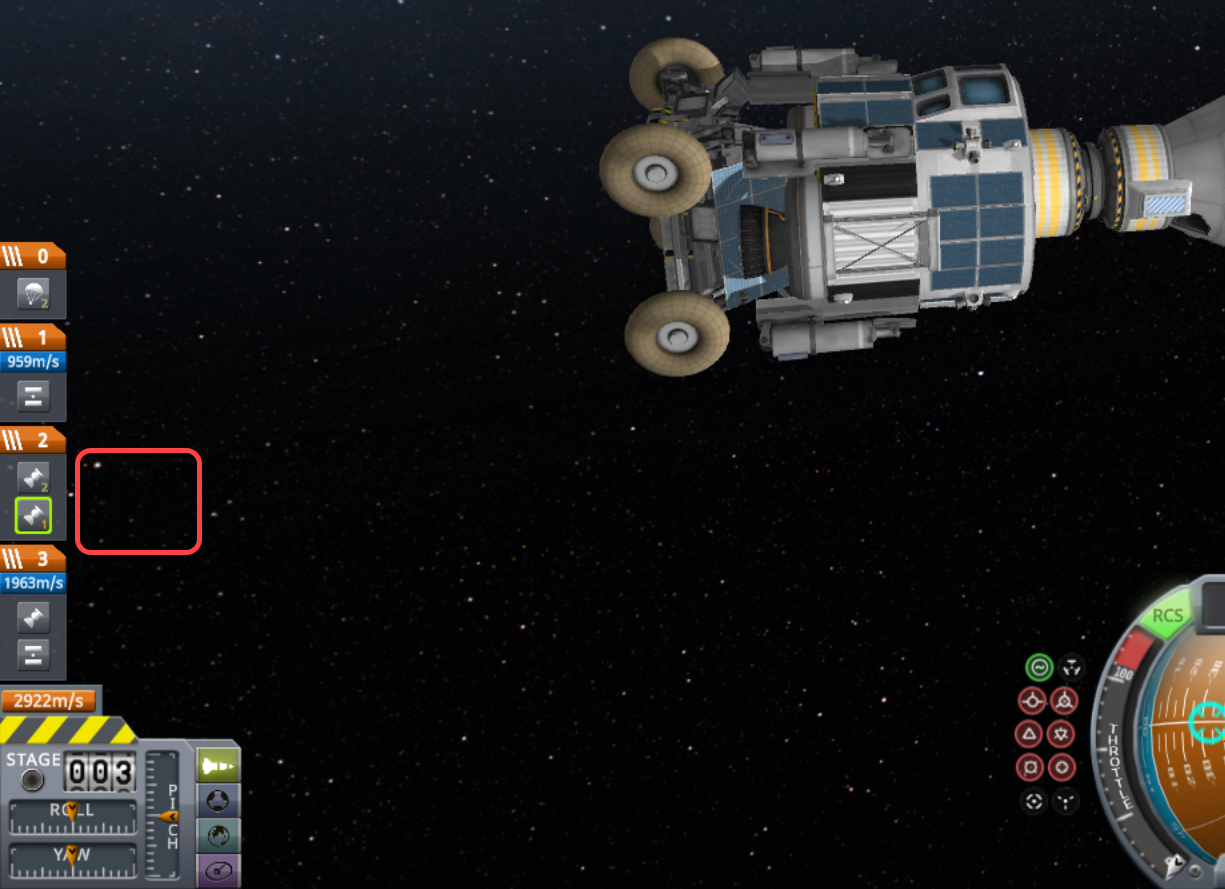
While the Command Module and the Lander are approaching the Mun we want to use the Command Module’s engine. When we dock the Command Module to the Lander, the staging changes, and activates the Lander’s engines. The fuel gages indicate the active engines. In this configuration during the Mun orbit insertion burn the Lander’s engines will work against the Command module’s and make it very difficult to achieve a good Munar orbit.
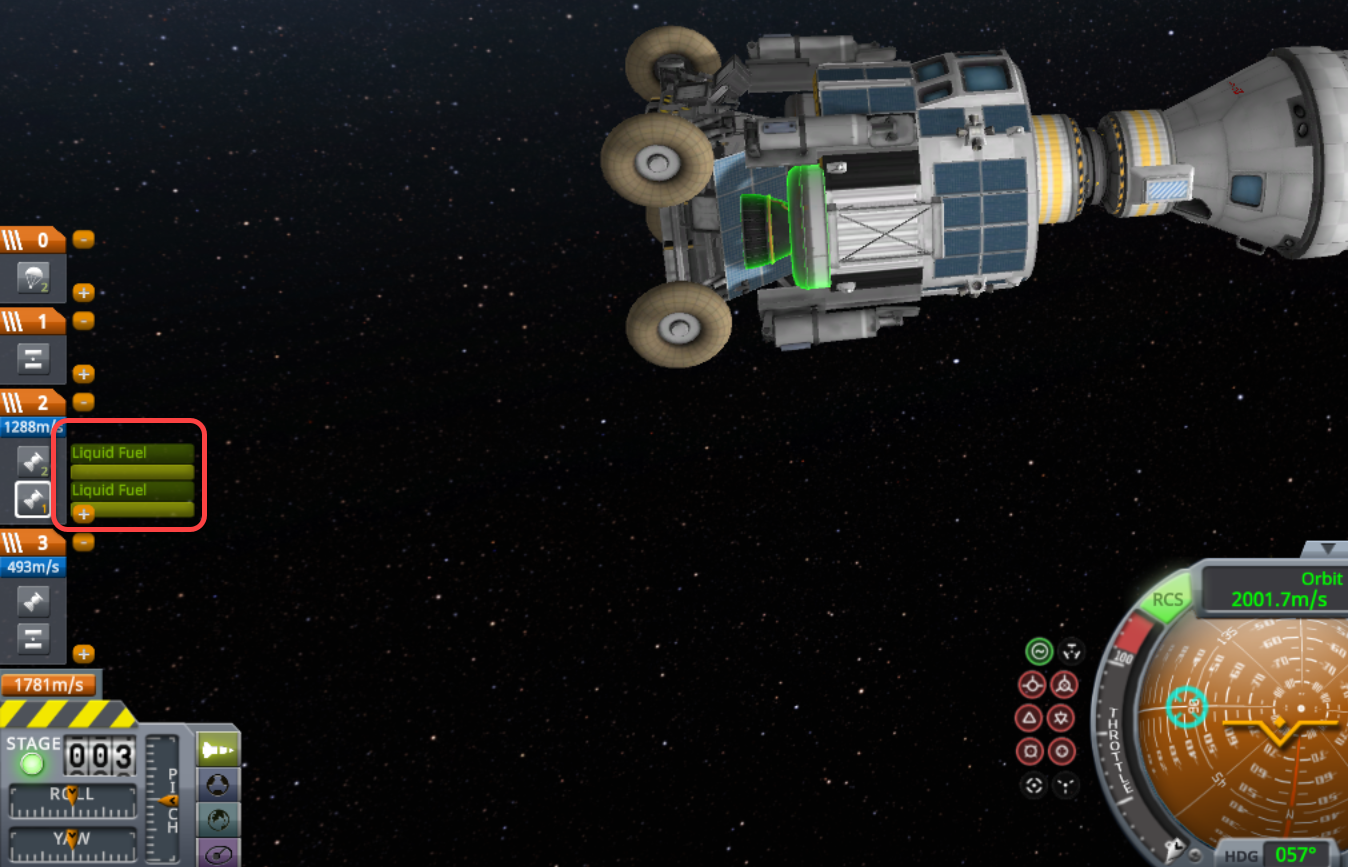
  • Right-click the Lande’s engine in the staging block and click the Shutdown Engine button. If you have multiple Lander engines, do it for all engines.
In Mun orbit

  • After circularizing the Mun orbit, before the lander separation, stage one more time to activate the LEM main engine.

Landing on the Mun

  • As you descend, set the SAS to retrograde to keep the lander upright and be able to always reduce the speed with the main engine without the need for orientation adjustment.

On the Mun

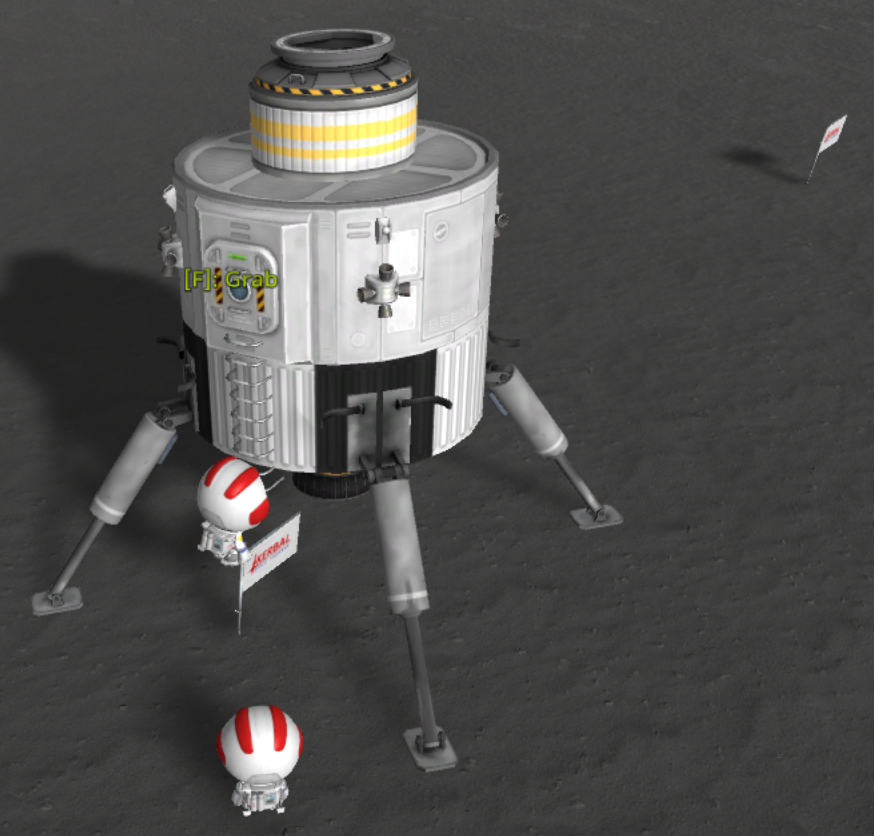
  • In case you run out of monopropellant in your EVA Jetpack, plant a flag under the hatch, so you can climb on it and get back to the lander.
Take off from the Mun

  • To get the heading of the command module, turn it to prograde. This is the direction you need to get into orbit with the lander for the rendezvous.
Author

Laszlo Pinter

Follow Me
Other Articles
Previous

How to move the Desktop, Documents, and Pictures folders out of OneDrive on Windows 11

Next

ASUS ROG Strix laptop configuration

No Comment! Be the first one.

Leave a Reply Cancel reply

Your email address will not be published. Required fields are marked *

Search

Last Changes

  • DevOps Engineering part 1. (Mac) - Make your Macintosh easier to use June 25, 2026
  • Japan travel tips June 22, 2026
  • How to stop the rain and snow in Cities: Skylines II June 20, 2026
  • Cities: Skylines II Developer Mode June 20, 2026
  • 'CSII_MANAGEDPATH' has incorrect path(s) when building Cities: Skylines II mod June 20, 2026

Tags

.NET .NETcore 3Dprinting ASP.NET Core AutodeskInventor AWS C# Chef cloud DevOps Docker EntityFramework Games Git Go iOS iPad iPhone iPod Java Kubernetes Linux MacOSX MSSQL MVC Node.js Packer PowerShell Python RDS RightScale Ruby security Splunk TeamCity Terraform TestKitchen Tomcat Ubuntu Vagrant VirtualBox VisualStudio Windows WordPress Xcode

Recent Comments

  • Zengei László on MyHeritage családfa exportálása és küldése emailben
  • Raúl Castillo on DynDns update error
  • MICHAEL on Windows Media Player 12 cannot find the album information
  • Nargis on Configure Epson ET-3850 scanning on Windows 11
  • Venczelné Zemen Erika on Delta S2302 termosztát programozása

–

  • Log in
  • Entries feed
  • Comments feed
  • WordPress.org
Copyright 2026 — Pinter Computing. All rights reserved.